Thursday
15 January

Objective
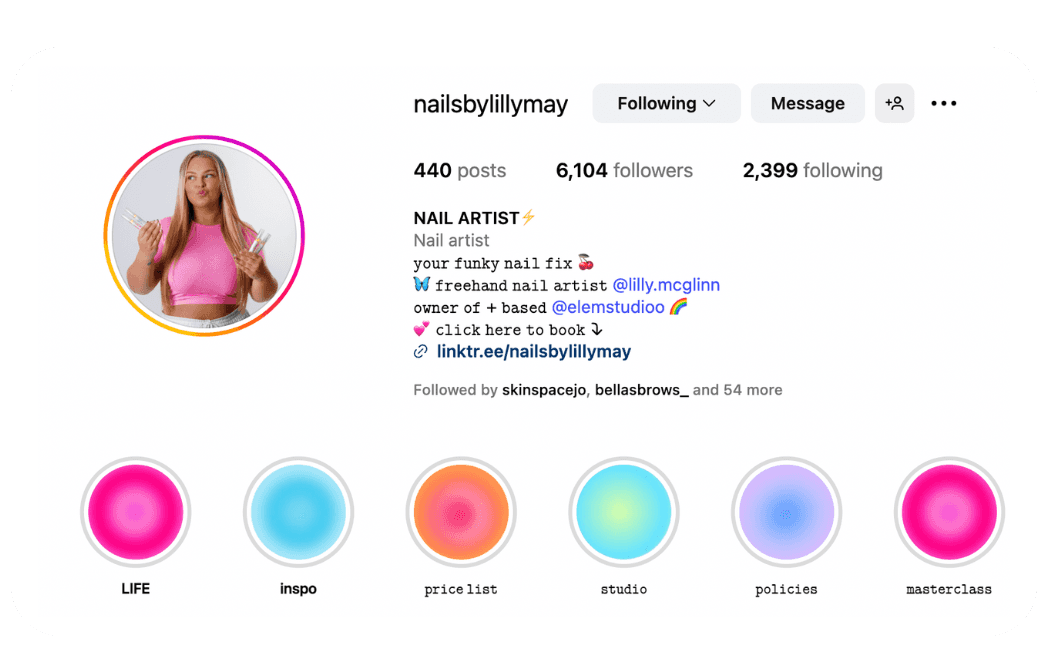
Instagram highlights are like a mini-website on your profile — they give new clients the key info they need without having to search. As a beauty pro, using highlights for things like your price list, how to book, treatments, reviews, and cancellation policy makes your page look professional and builds instant trust with potential clients.
1. Review your highlights
If you already have 'highlights' on your Instagram profile, take some time to review them and see if they're still relevant and up-to-date.
Remove any old or irrelevant stories from your highlights
Note down any changes you need to make
2. Create your new highlights
If you don't have highlights yet, now is the time to set them up! Follow these steps:
Create your content
Upload as a story to your Instagram
Click on your story >> press the three dots >> click highlight
Select the highlight you want to add to, or create a new one
Example categories:
Prices
Clients want clarity before booking. Having a price list highlight avoids endless DMs and shows transparency.How to Book
Direct clients to your Solo website or booking link. A simple walkthrough makes the process seamless.Treatments/Services
Showcase your full menu with photos or short clips so clients know exactly what you offer.Reviews
Social proof is everything. Sharing client testimonials builds instant trust and helps convert new followers into bookings.Policies
Include your cancellation, deposit, or lateness policy. This sets boundaries early and avoids awkward conversations later.About Me
A short intro about you and your business helps build a personal connection with potential clients. They love to see 'the face behind the business' and understand who it is that will be doing their appointment.
Check your labels
Label your highlights something clear and concise so clients know exactly what each highlight does
Set your cover images
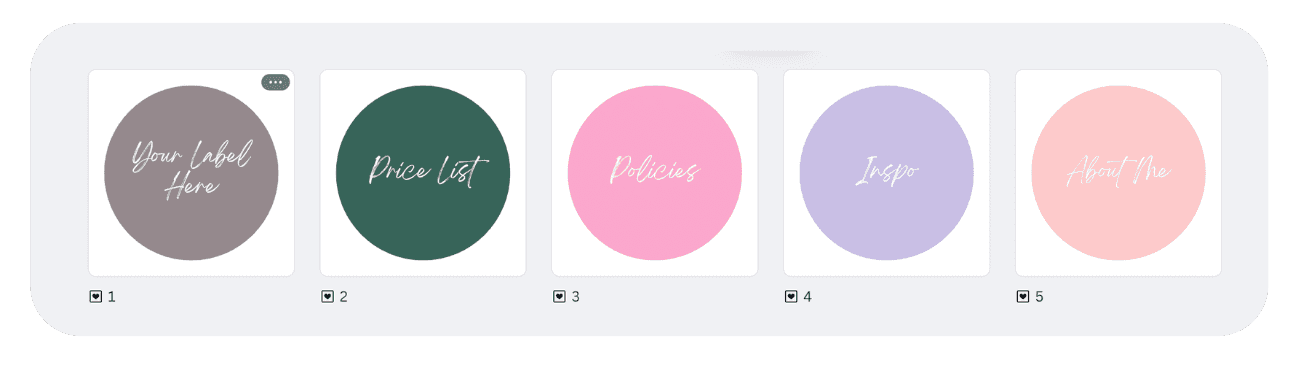
Think about a suitable 'cover image' for each highlight. This could either be a graphic that includes the title e.g "Policies" or a simple icon or graphic that fits in with the theme of your branding and feed
🔗 Use our Canva Template to make your own here