Monday
13 October

Objective
This post should let your followers know that your website is now live and encourage them to visit it to browse services, learn more about your business, and book appointments online — making the booking process feel more professional, seamless, and accessible.
Create an Instagram post about your new website 💻
Let your followers know that your brand new website is live!
This is the perfect chance to show them how easy it is now to browse treatments, check prices, and book online.
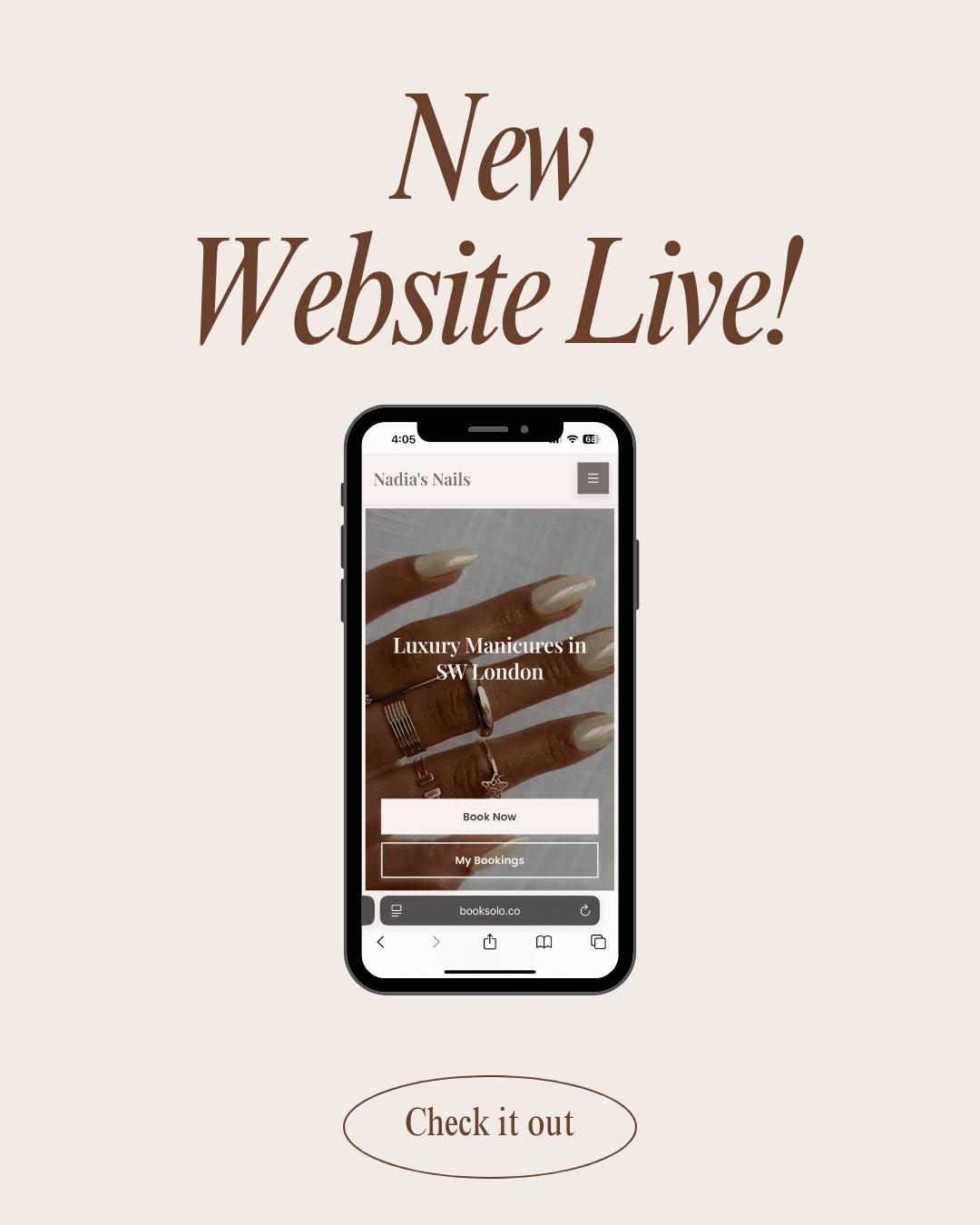
If you’re using the Canva template, simply drop in a screenshot of your website from your phone.
Then post to your feed!
Example:
Upload to Instagram
Choose your preferred format:
Singular grid post (using the Canva template we’ve provided)
Reel where you point to the screen and reveal the URL
Before/after of your old “DM to book” style vs. your new website
Add your caption
Make sure your caption announces the website and encourages people to check it out or book.
Examples:
💻 “I’ve levelled up! My brand new website is LIVE — making it easier than ever to explore treatments, check availability, and book online.”
✨ “No more DM booking — you can now see my full service menu and secure your next appointment in just a few clicks!”
🔗 “The glow-up is real ✨ My new website is here! Tap the link in bio to explore treatments, read reviews, and book your next appointment.”
📅 “Booking just got easier 🙌 My brand new website is now live — go take a peek and grab your next appointment slot!”
Add your hashtags
Examples:
#NewWebsite #BookOnline #BeautyBusiness #BeautyPro #FreshWebsite #LinkInBio #BeautyBooking #SoloWebsite #SmallBizGlowUp #BookNow