5
.
Create a Google Business Profile
A Google Business Profile makes your business visible on Google Search and Maps, builds trust with potential clients, and keeps your information up to date across platforms.
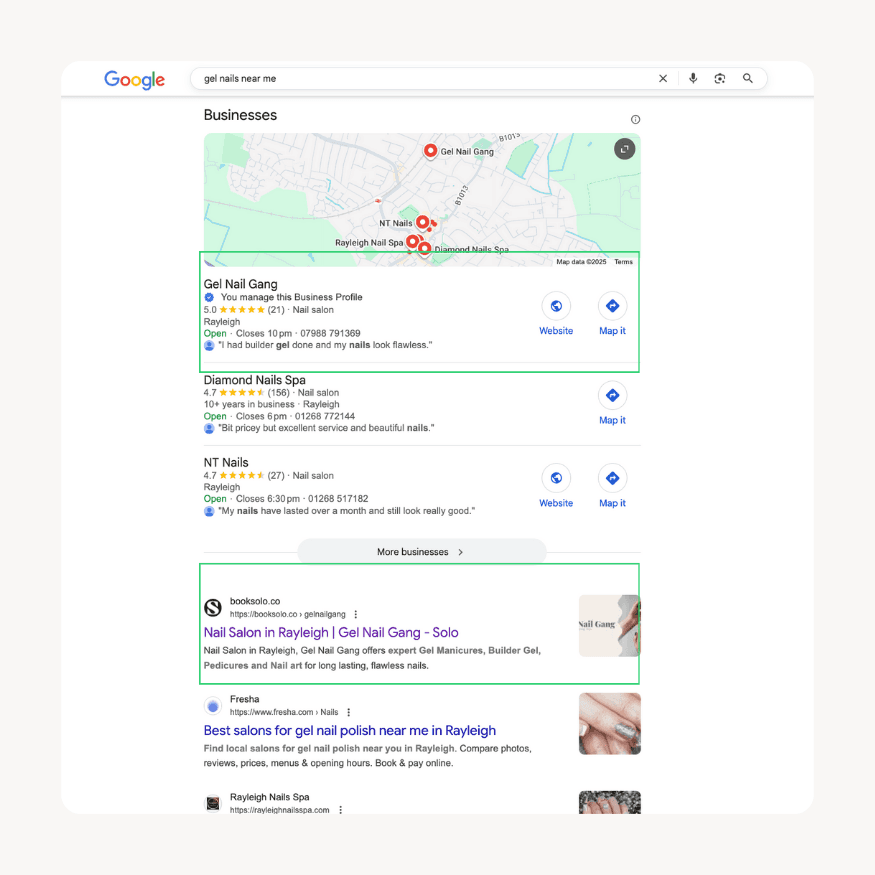
When someone searches for a service like “gel nails near me,” your business can appear in two different ways:
Google Search
On Google Search, your profile can appear in the local pack at the top of the search results. This usually includes a small map and a short list of businesses, showing their name, reviews, opening hours, and quick links to call or visit their website. The screenshot above is a perfect example of how this looks. Search results are powerful because they capture people who are browsing and comparing different salons online.
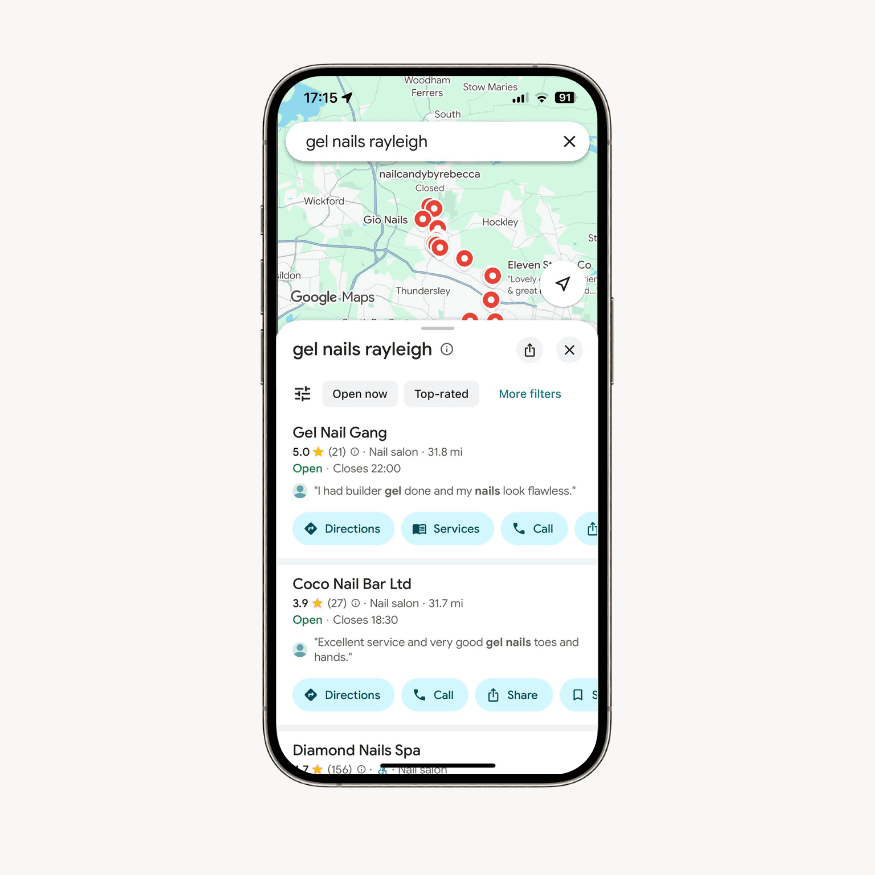
Google Maps
On Google Maps, people are usually further along in their decision. They are actively looking for a business near them and want directions, reviews, or photos before visiting. Maps highlights your exact location, along with more detailed business information, making it ideal for customers who are ready to come in person.
How to set up a Google Business Profile:
Go to https://business.google.com/ and sign in using your new Gmail account
Add your business information
Set your location and service areas
Add contact details
Set your hours
Enable messaging
Showcase your services
Upload high quality photos
Verify your business
For an in-depth strategy, check out our Find Clients on Google course.