Tuesday
28 October

Objective
Send a short message to your client list inviting them to treat themselves this Halloween week.
💌 Send a Halloween Email or SMS to your clients 👻
Choose your objective
🎃 Announce a special Halloween promo (e.g. “15% off this week only”)
Select your customer groups to target
Choose who you want to send your broadcast to:
New customers only
Lapsed customers (haven’t booked in a while)
All customers
Choose your subject line
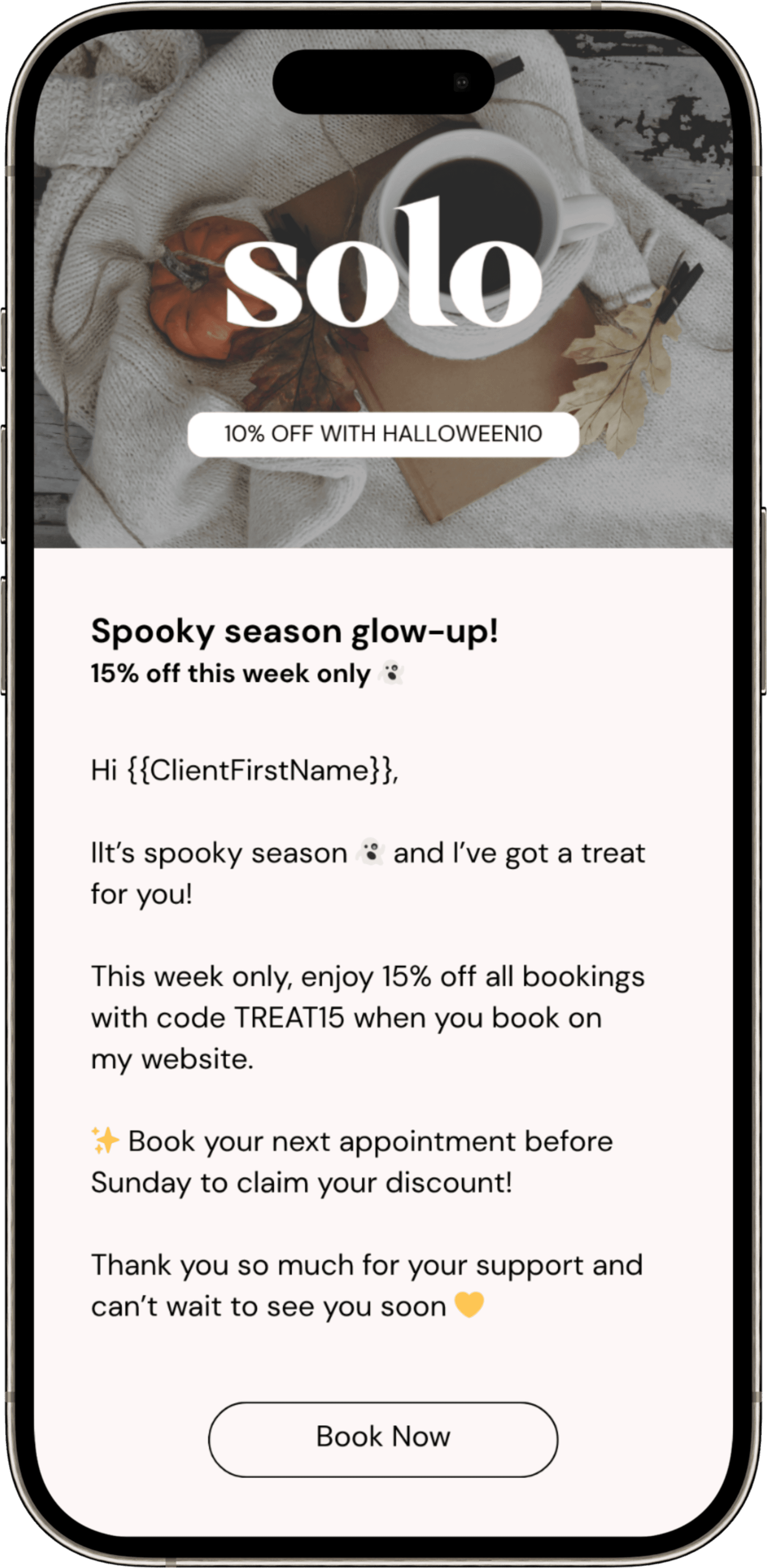
🎃 “Spooky season glow-up 👻 15% off this week only!”
🕸️ “A Halloween treat just for you 🎃 Limited-time offer inside!"
💅 “No tricks, just treats — Halloween beauty week is here 👻”
Select your header image
Header Banner (300px x 100px)
Use a fun, autumn or Halloween-inspired design — think pumpkins, candles, warm tones, or cozy studio vibes.
Or use our Canva templates to make one quickly.
🎨 Download Canva templates here
Write your email body
Example 1 – Halloween Offer:
Hi {{ClientFirstName}},
It’s spooky season 👻 — and I’ve got a treat for you!
This week only, enjoy 15% off all bookings with code TREAT15 when you book through my Solo profile.
✨ Book your next appointment before Sunday to claim your discount!
🎃 Click here to book now: [insert Solo link]
Don’t miss out — this offer disappears faster than a ghost at midnight! 👻
Thank you so much for your support — can’t wait to see you soon. 💛