2
.
Setting Up Your Google Business Profile
Go to https://www.google.com/business/
Sign in with a Google account or click Get Started
You’ll need to create a free Google account if you don’t already have one.
Enter your business name and accurate business category
Add your business location or select the areas you serve if you are mobile
If you work from home and prefer not to share your full address, you can list your street name without including your house number
Add contact details (phone number and Solo booking link)
Verify your business
Google will ask you to verify your business, usually via postcard, video or email.
Add your services
Add business hours
Add business description
Add photos of your business
Integrate Google with Solo
Open Solo App
Go Menu (3 lines bottom right) > Account > Integrations
Click Google My Business & follow the steps to connect
You will need to make sure you have selected the Gmail account that is linked to your Google business profile.Go back to the Solo App
Go Menu (3 lines bottom right) > Account > Integrations
Click ‘Manage’ on the Google Business Section
You’ll know your account has been successfully synced because you will be able to select the location to sync reviews from.Click ‘Import Reviews’
You can select which reviews you want imported based on star rating
Set up for Success
Below, you’ll find the key steps to make sure your Google Business Profile is set up for maximum visibility.
Business Information
Ensure Name, Address, and Phone (NAP) match everywhere online.
Add accurate opening hours, including seasonal or holiday changes.
Include your Solo website URL and select the most relevant business category.
Business Description
Write a clear and engaging description, highlighting what makes your business unique.
Keep it around 750 characters.
Include keywords your audience searches for.
Example:
"Look at you Glow offers spray tans in High Wycombe and Marlow. We are based at Desbox in High Wycombe. We also take mobile booking requests for Marlow postcodes. We use Sienna X solutions which are cruelty free and vegan. Whether it's your first spray tan or you're a regular tanner, we're excited to welcome you. We offer spray tans for every occasion: proms, holidays, events or maybe you want a regular spray tan to ensure you're glowing all year round. Booking is easy with our online system, and we recommend scheduling in advance to guarantee your spot. Feel free to WhatsApp us or DM on Instagram with any questions/special requests."
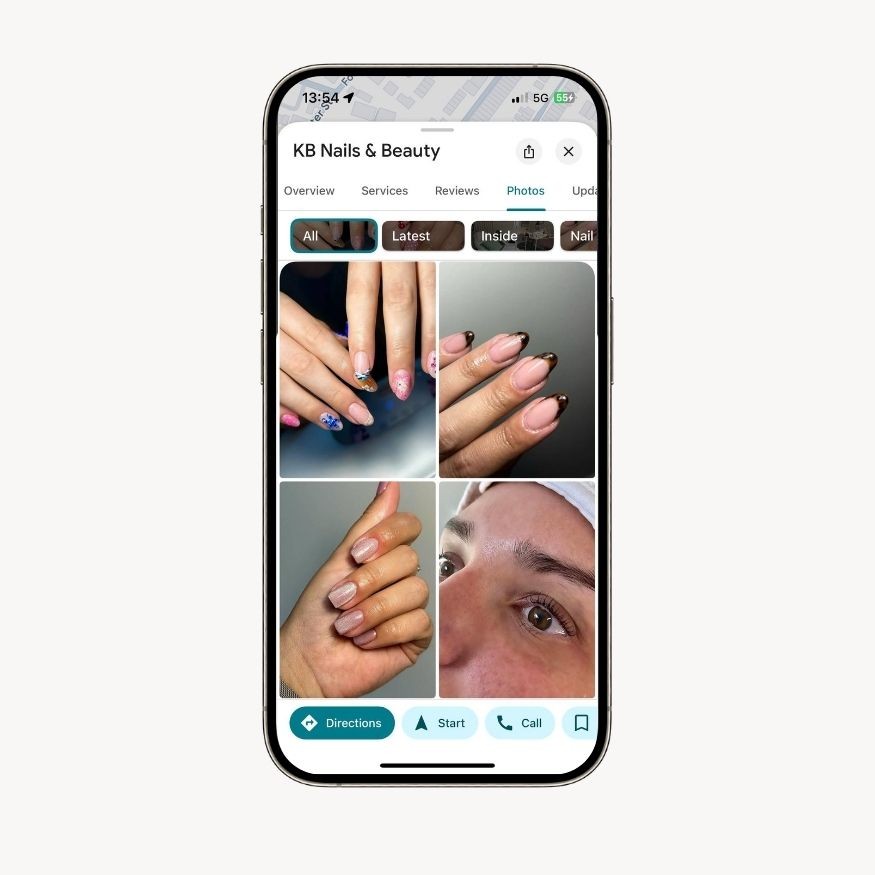
Photos and Videos
Use high-quality, well-lit images of your space, products, or services.
Add team photos to build trust.
Include short videos showcasing services or customer experiences.
Services
This section is crucial for improving your profile’s visibility. Include every service you offer with a clear, detailed description.
Tip: Be specific. Include service durations, materials used, or benefits to help your listing rank for more relevant searches.
Next Lessons
How to Get Your Google Business Profile Ranking Higher
3
.
15m
Learn why you should treat Google Business like Instagram — post weekly, reply to reviews, and add new photos to stay visible and relevant.
Optimising Your On-Page SEO
4
.
20m
Learn how to write SEO-friendly page titles, meta descriptions, and headings, and how to make your site keyword-rich without overstuffing.
Ranking for More Than One Keyword
5
.
10m
Understand how to target multiple treatments or services with smart keyword placement and additional landing pages that attract more traffic.
A Tour of an SEO-Optimised Solo Website
6
.
25m
A visual walkthrough of a perfectly optimised Solo site - see how layout, content, and structure all work together to improve rankings.
Prefer a Hands-Off Approach to SEO?
7
.
10m
An optional module introducing Solo’s £200 SEO Service — perfect if you want expert keyword research, GBP management, and performance tracking done for you.