Thursday
20 November

Make an Instagram Story: Poll
Objective
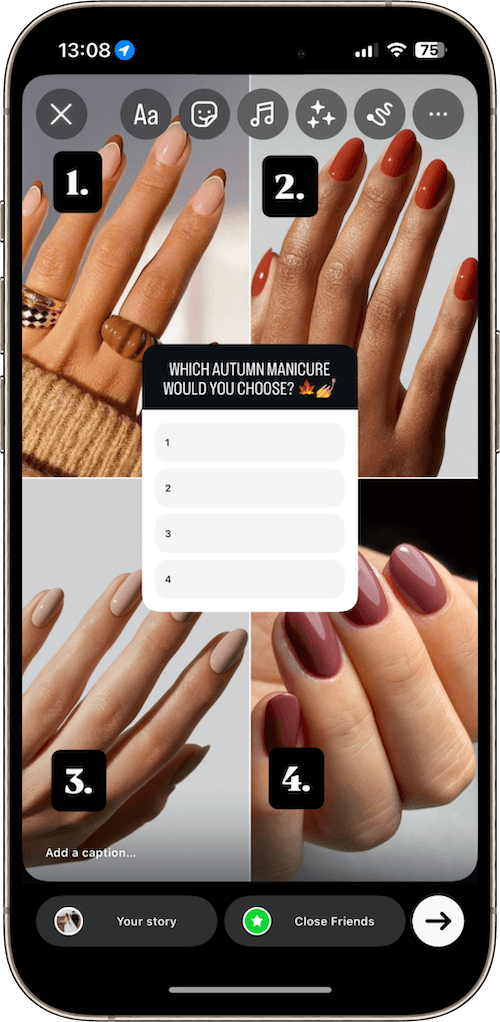
Interactive Instagram stories are a great way to boost engagement from your audience. For today's task, we're going to add a poll to your story, giving your audience an option to vote on their favourite look/treatment/product.
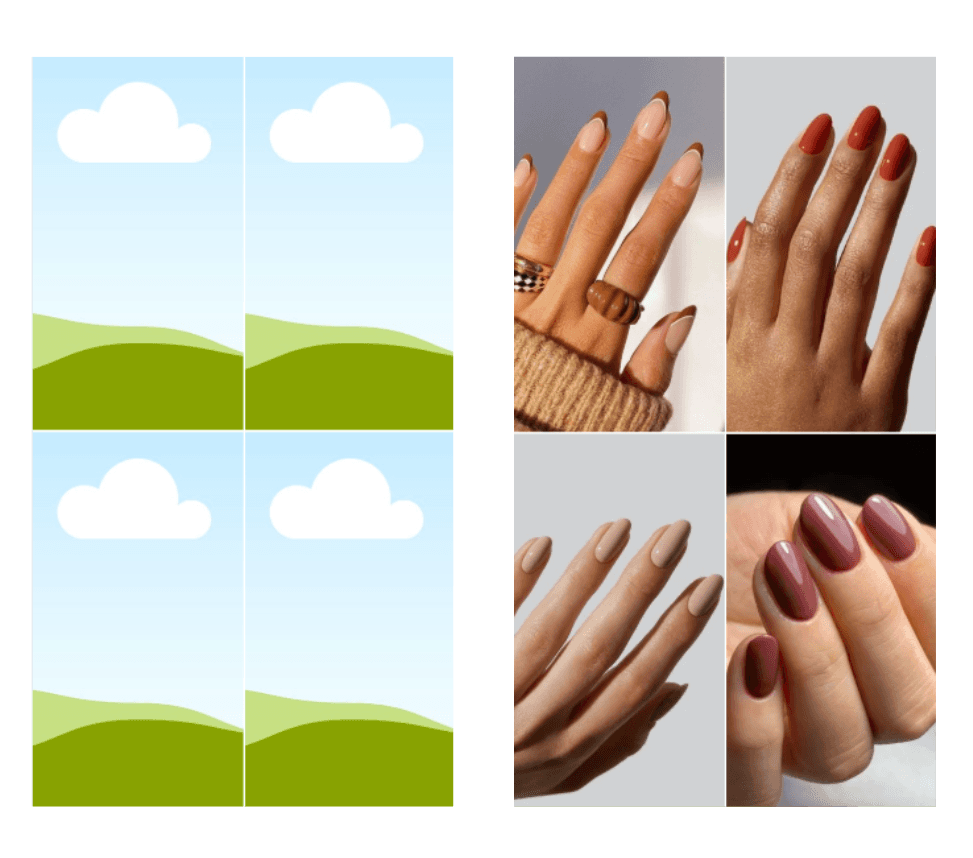
Choose 4 x images
Ideally these would feature your own work, e.g four different nail colours or nail art options. You could also feature different types of treatments or beauty products.
Use our Canva template to create your Instagram Story
Open this Canva template
Duplicate the file
Upload your 4 x images
Drag & drop them into your preferred position
Export as a JPG
Upload your Instagram Story
Add new Instagram Story
Upload your Canva Template
Number the images 1-4 or give them a caption e.g Relaxing Facial, Restoring Massage etc
Add your poll
On the Instagram story, click the sticker icon
Click poll
Enter your poll question e.g Which autumn manicure would you choose?
List options 1-4 or your chosen captions to match your photos
Position your poll in the centre of the template
Post your story!