Thursday
23 October

Objective
Show up more in local searches by keeping your Google Business Profile active and helpful by adding a Q&A and updating your gallery.
Why this matters
Adding Q&As helps answer common client questions before they even message you.
Google rewards profiles that post new photos regularly — it signals that your business is active and trustworthy.
Great visuals and useful info help clients choose you over other local options.
What to do today
Log in to your Google Business Profile.
Scroll to the Q&A section and click “Ask a question.”
Add a popular client question and answer it in your brand voice (see examples below).
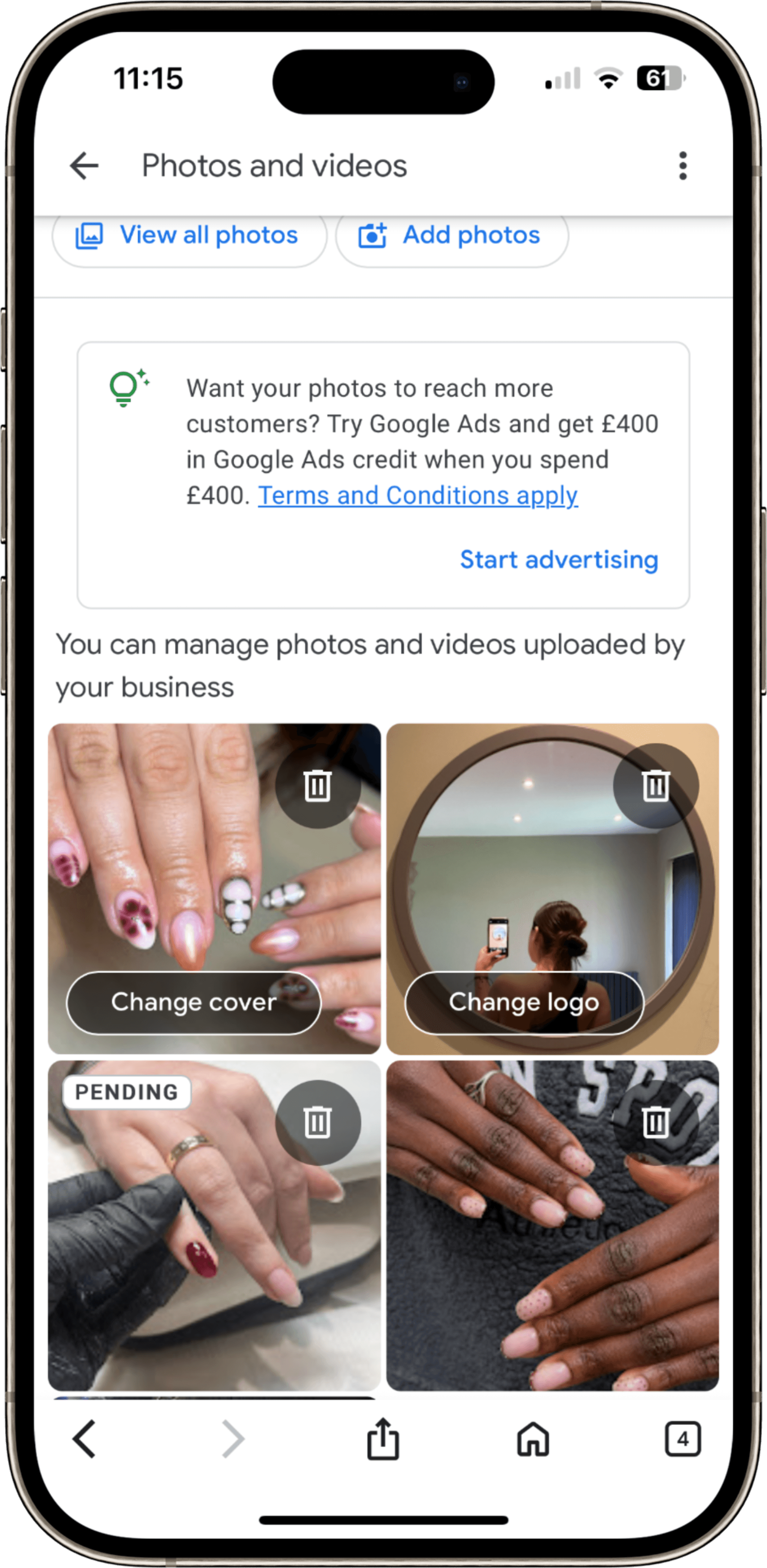
Then, go to your Photos tab and upload at least one new image of your work, treatment room, or setup.
Example Q&As
Q: What’s your most popular treatment right now?
A: Our most booked treatment this month is the [TreatmentName]! It’s perfect for [quick benefit, e.g. giving your lashes a fuller, lifted look that lasts for weeks].
Q: How do I book an appointment?
A: You can book directly through my website here 👉 [Insert Booking Link] — it’s quick and easy to check my availability.
Q: Do you offer patch tests or consultations?
A: Yes! I offer both — just mention it when booking, and we’ll make sure you’re fully prepared for your treatment.