
Tuesday
21 October

Objective
Encourage clients to leave a Google Review on your new (or newly connected) Google Business Profile.
Select your customer groups to target
New customers only
All customers
Specific customers
Subject Line Options
Can I ask a quick favour? 💛
Your feedback means the world 🌍✨
Loved your last visit? Let me know on Google ⭐
Help my business shine — leave a quick review ⭐️
Header Image
Header Banner (300px x 100px)
Use a clean, branded design that includes a
Or use our Canva templates to make one quickly.
Write your Email body
Example:
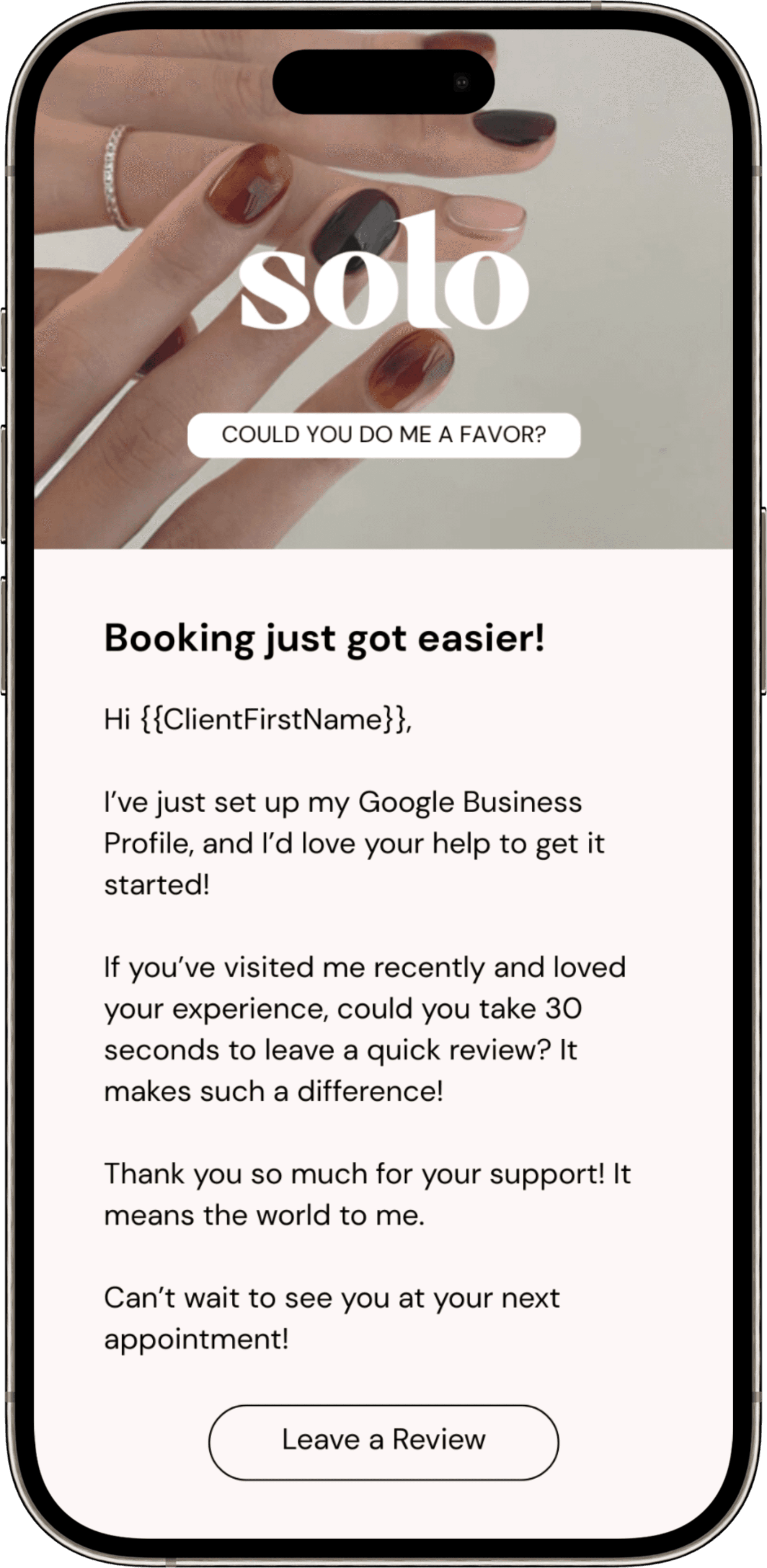
Hi {{ClientFirstName}},
I’ve just set up my Google Business Profile, and I’d love your help to get it started! ⭐
If you’ve visited me recently and loved your experience, could you take 30 seconds to leave a quick review? It makes such a difference — your words help new clients find me and grow my small business. 💛
👉 Click here to leave your Google review
Thank you so much for your support — it means the world. Every review, like, and kind word helps my business shine brighter. ✨
Can’t wait to see you at your next appointment!
{{BusinessName}}
Create your own version with…

This Week


Lessons
Set Up Google My Business
Google My Business (GMB) is a free and powerful tool to ensure your business appears in Google Search and Google Maps results.
Create a Google Business Profile
Now that you’ve created your Gmail account, setting up a Google Business Profile becomes quick and seamless.
Keeping Your Google Business Profile Active and Engaging
You’ll learn practical weekly and monthly actions to keep your profile fresh, boost visibility, and drive more calls, messages, and bookings.